# Cross-Chain Transfers (XCM)
**XCM transfers** enable you to **seamlessly move tokens across different networks** within the **Polkadot ecosystem.** Whether you’re an experienced crypto enthusiast or new to the world of blockchain, [**Fearless Wallet**](http://fearlesswallet.io) provides a user-friendly interface for conducting these transfers.\
***
## How to use XCM Transfers in Fearless Wallet
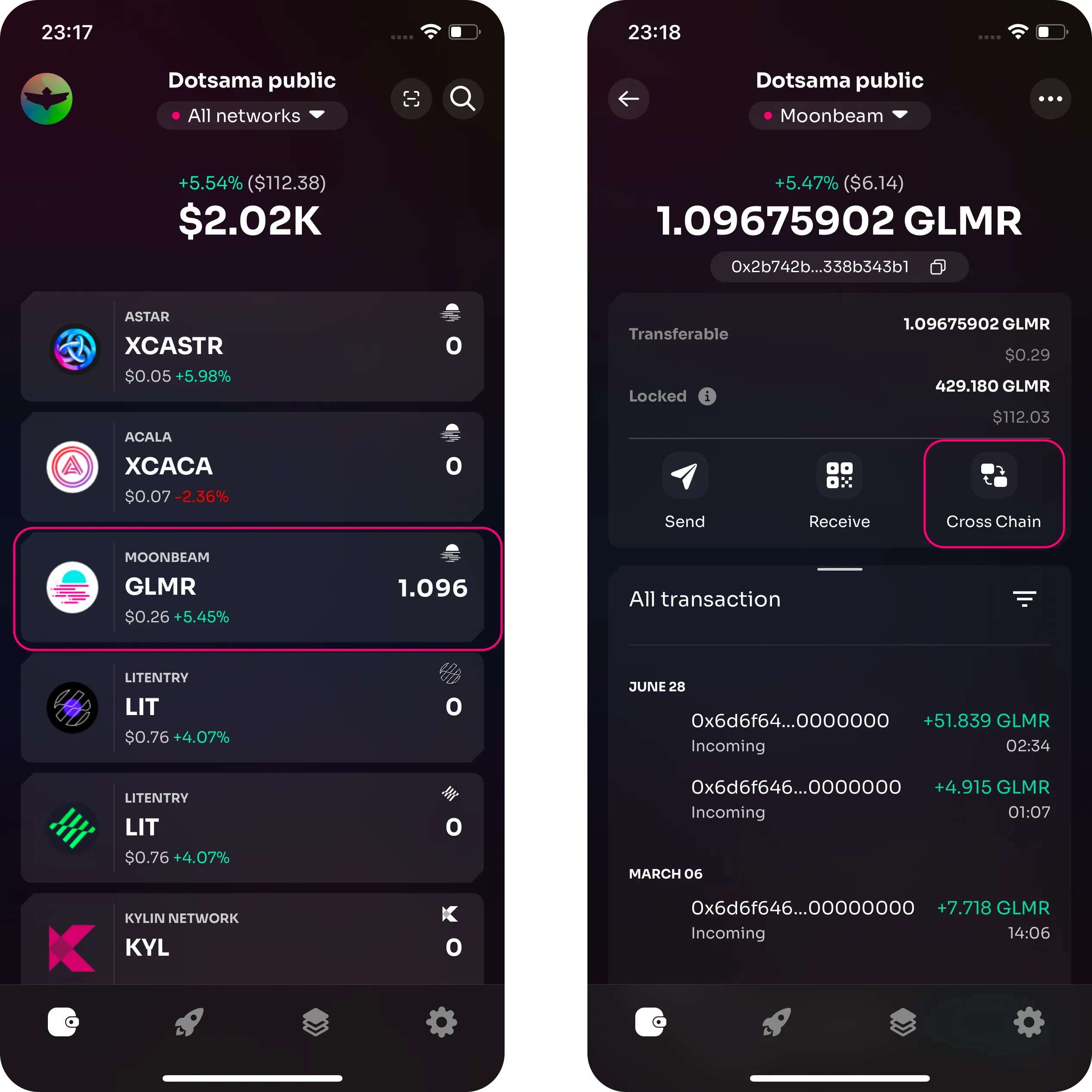
1. To initiate a cross-chain transfer, open Fearless Wallet and navigate to the **Cross Chain transfers section** by tapping on any applicable (parachain) asset in your wallet.\
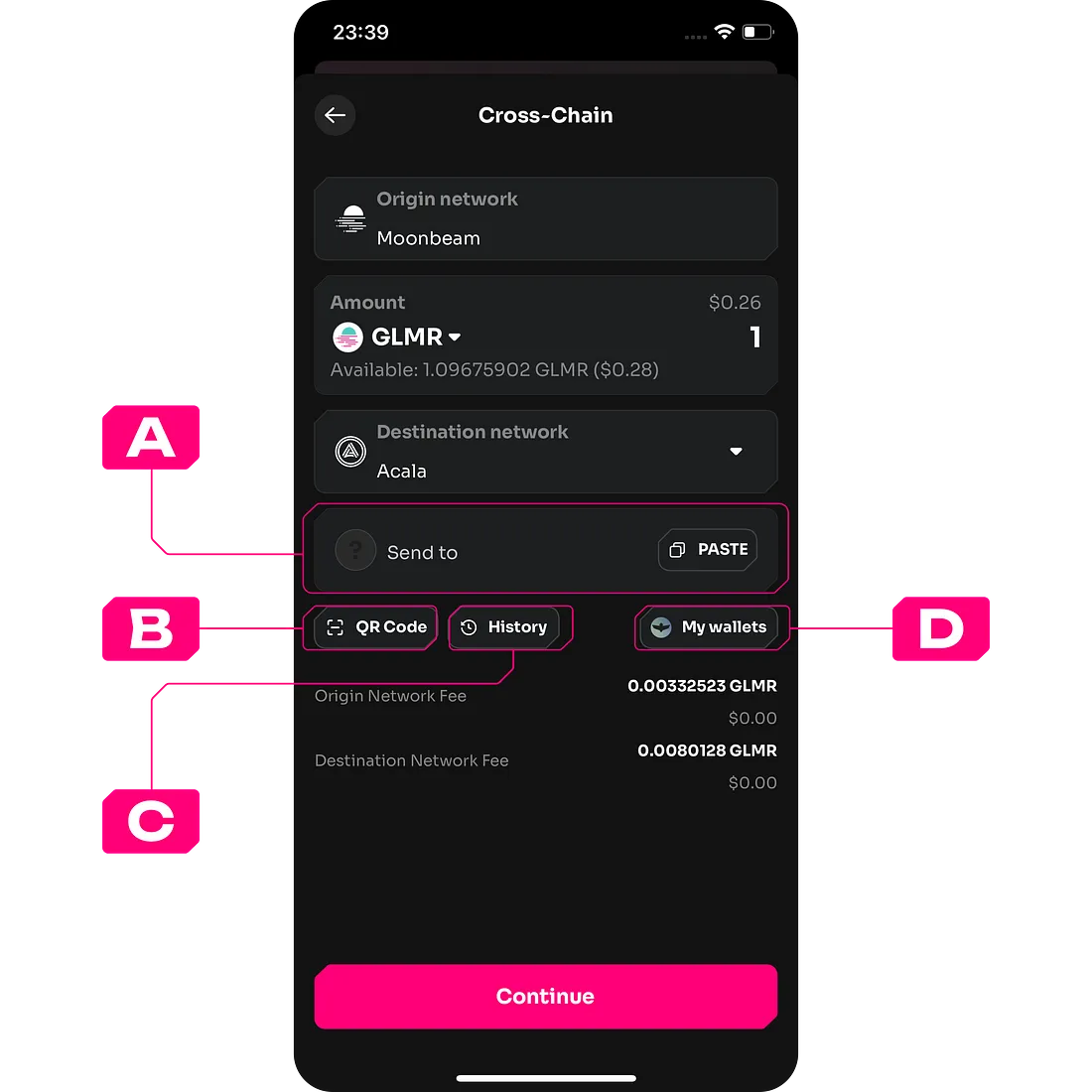
2. On the subsequent page, **you may change the asset by selecting from the available options on the origin network**, **enter the amount** to be transferred, **choose the destination network** and **address.**\
{% hint style="info" %}
**Make sure that the destination network is chosen correctly and the destination address matches the network.**
{% endhint %}
3. After ensuring all data is entered correctly tap on the **“Continue”** button.
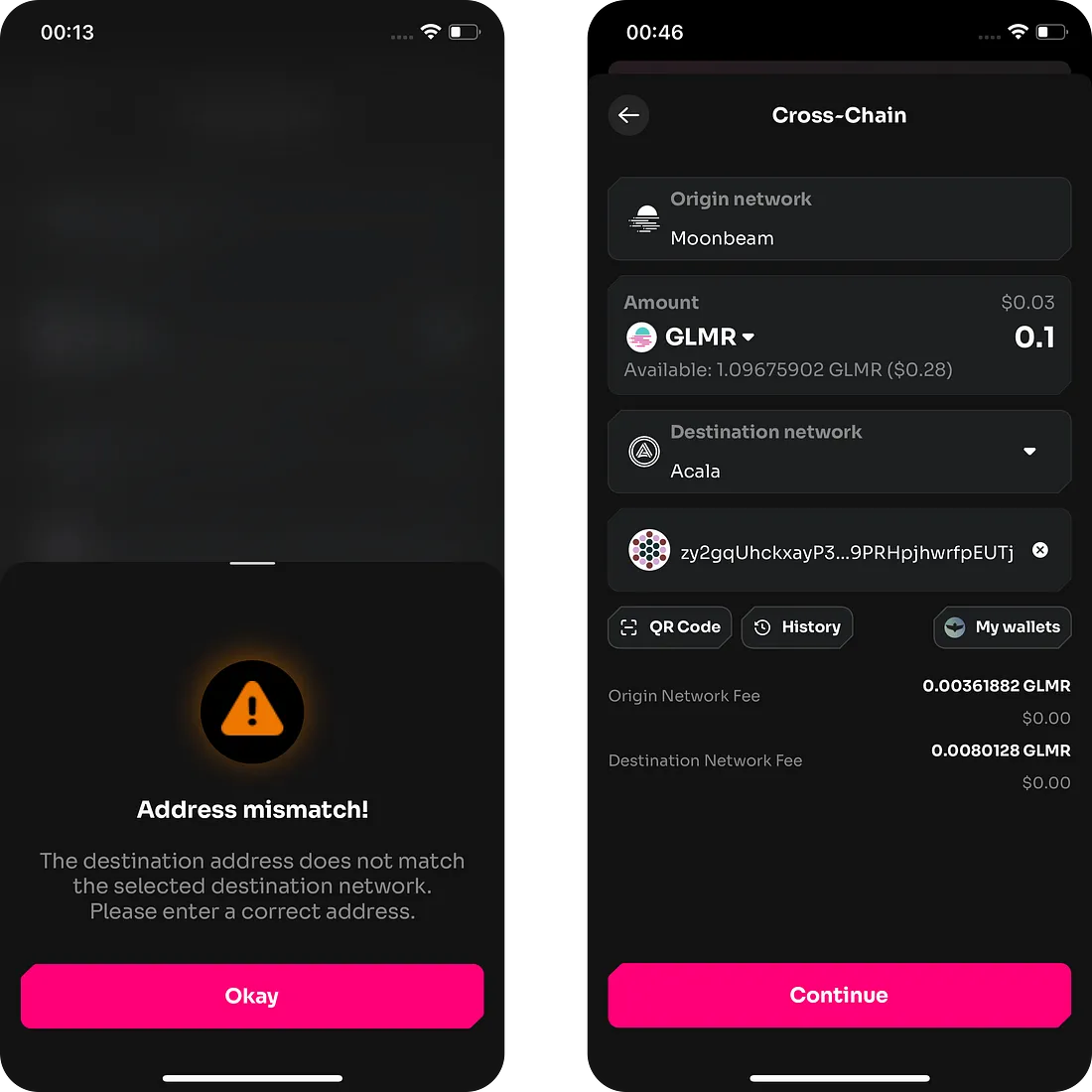
4. If the **destination address does not match the destination network**, **an error message will be shown** and you need to enter the correct address.\
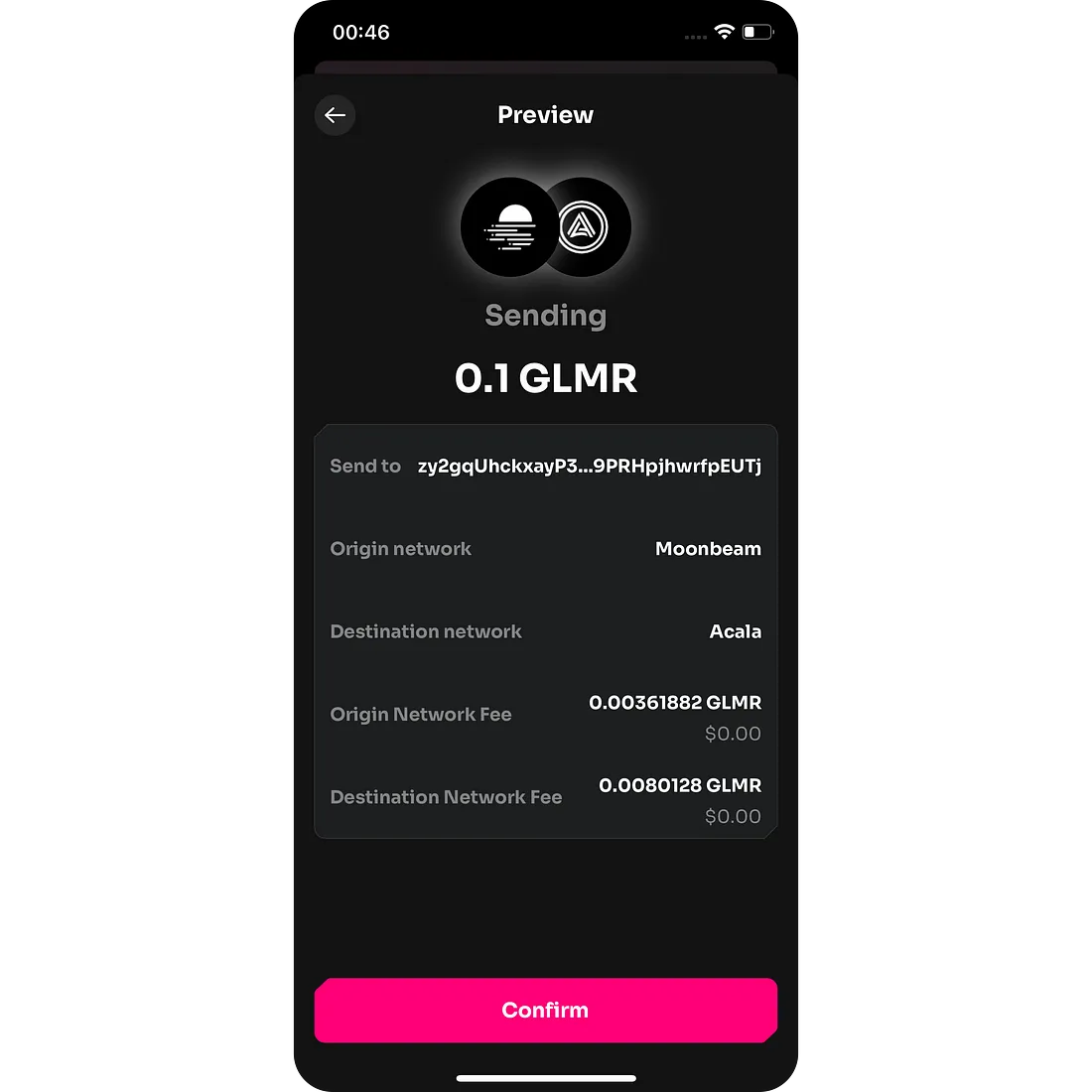
5. Then, **review the transfer details** before confirming the transaction.\
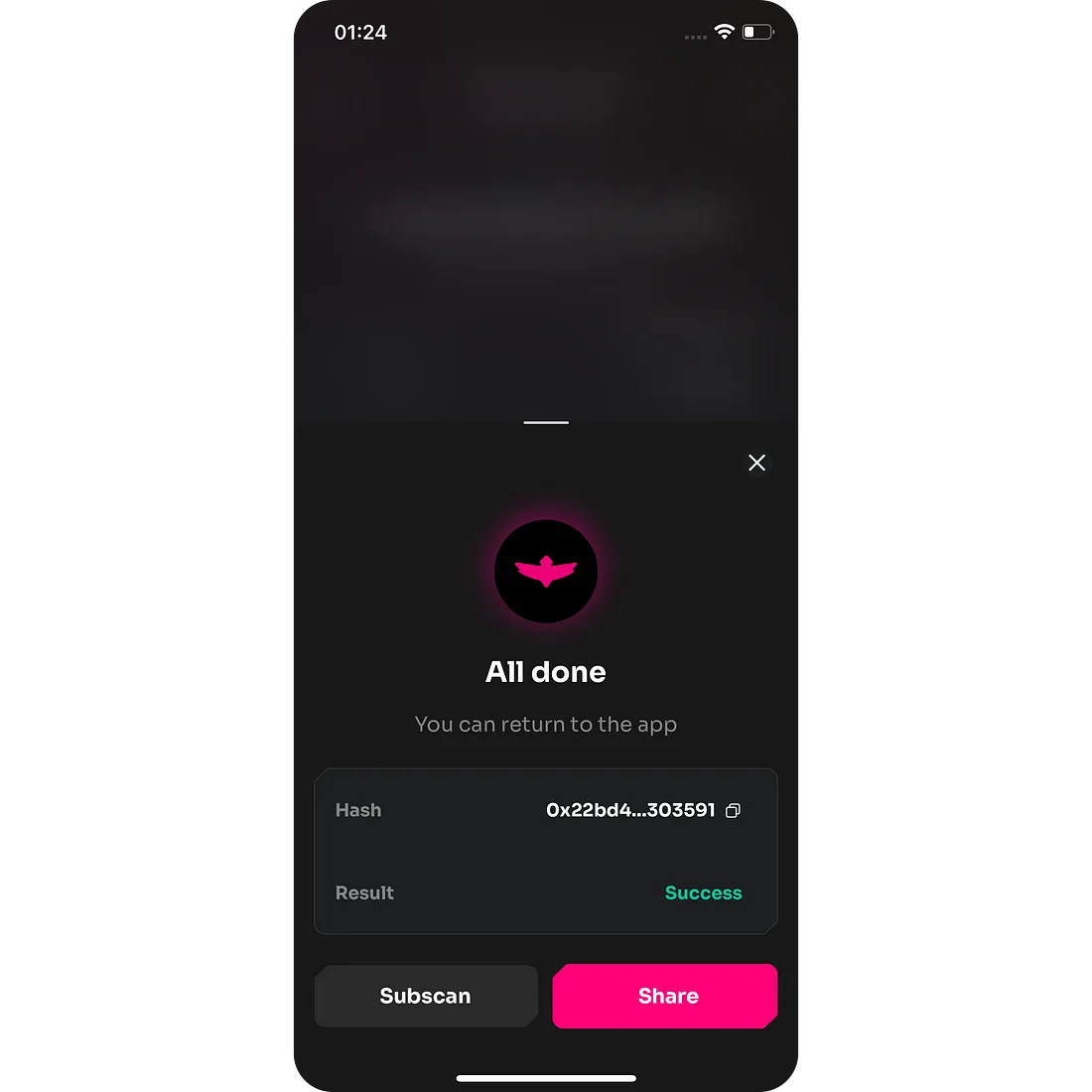
6. **Congratulations! Your transfer is now complete**. Watch your tokens soar across networks and enjoy the benefits of seamless and fearless cross-chain transactions. To verify the status of your transfer, you can use [Subscan](https://subscan.io), a reliable blockchain explorer.\
***
Please let us know if you have any issues with this feature on our [Support Channel](https://t.me/fearlesshappiness) or would like to suggest more fearless improvements in our [Telegram Community](https://t.me/fearlesswallet).
**Stay Fearless!**\